Your roundnet games, cut and broadcast-ready.
CutServe finds every point in your match footage, keeps score as you tag, and exports a condensed game with a live scoreboard, stats and highlight reels.
Free to start · No credit card required · Founding price ends soon
Fast Processing
A typical 1-hour match processes in about 5–15 minutes on M-series Macs.
Local First
Footage stays on your machine. No cloud upload pipeline to wait on.
Built for Roundnet
Serving zones, serve rotation, RPR and stat tagging designed around how the game is played.
The old way
- ✕Scrubbing through raw footage to find each point
- ✕Tracking score and stats by hand, rally by rally
- ✕Hours in a video editor to share one match
With CutServe
- ✓Auto detection finds every point, or you clip manually as you watch
- ✓One keystroke tags the point and updates the score
- ✓Export a broadcast-style game, stat screen and highlight reel
How it works
From raw footage to a finished video in four steps.
Import
Pick an MP4, drag it onto the dashboard, or paste a link to footage you've uploaded. The video stays on your computer.
Clip
Draw four serving zones and let auto detection find every point, or choose manual clipping and mark points as you watch.
Tag
Press 1–8 to tag each point. Score, serve rotation and player stats update automatically.
Export
Pick a broadcast template, add a stat screen and render up to 4K, or cut a vertical highlight reel.
Everything you need to tell the story
Built specifically for roundnet. These are real CutServe screens, shown with sample match data.
Editor
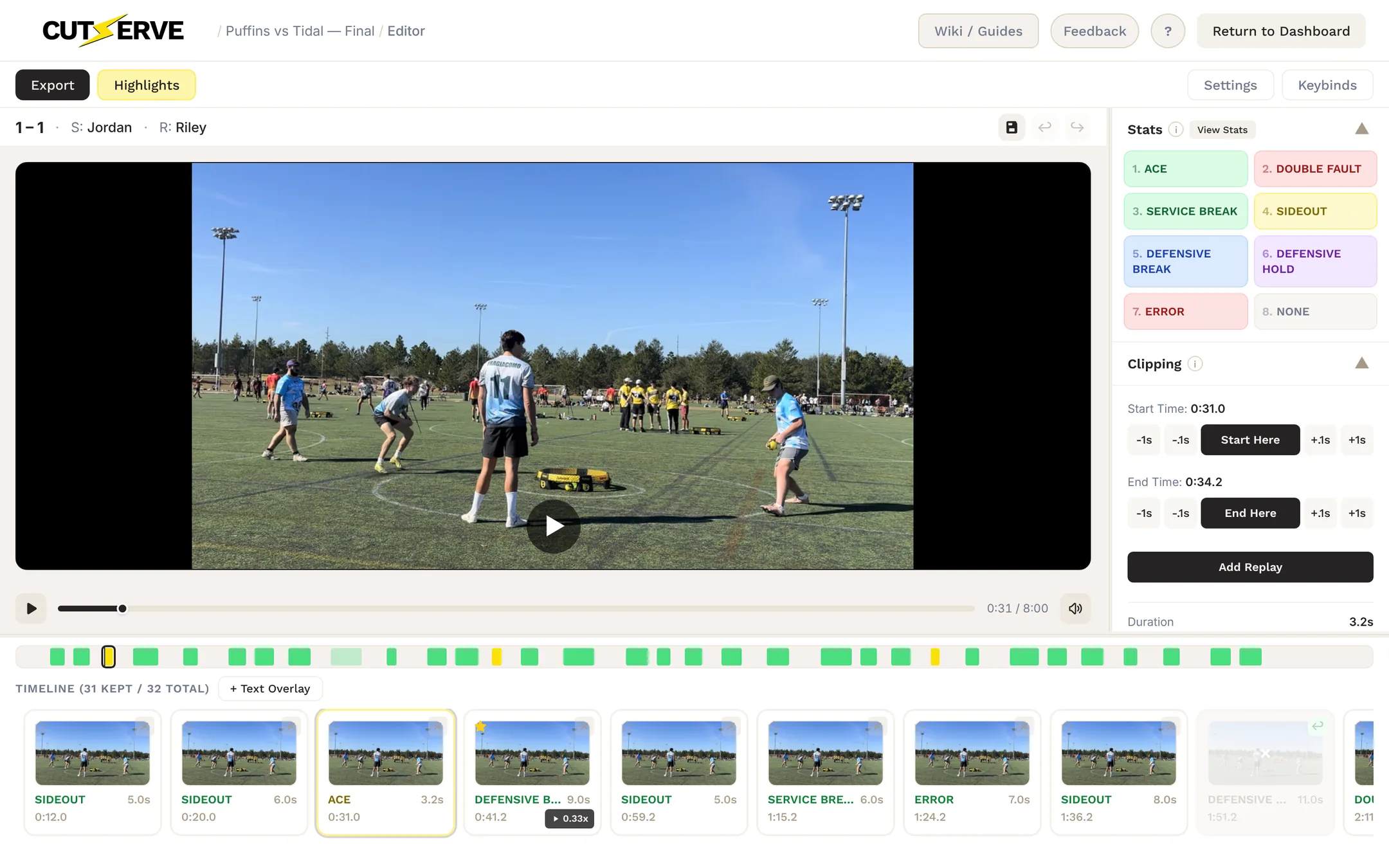
Review a whole match from the keyboard
Every point lands on a filmstrip with its stat, length and timestamp. Set the start and end with W and S, nudge with Q/E and A/D, and CutServe moves to the next untagged point after you tag one.
- Undo, redo and autosave on every edit
- Add a missed point from the filmstrip or press N, and split a clip at the playhead
- Rebind any shortcut from the Keybinds menu
Broadcast Studio
A broadcast scoreboard and stat screen, built from your tags
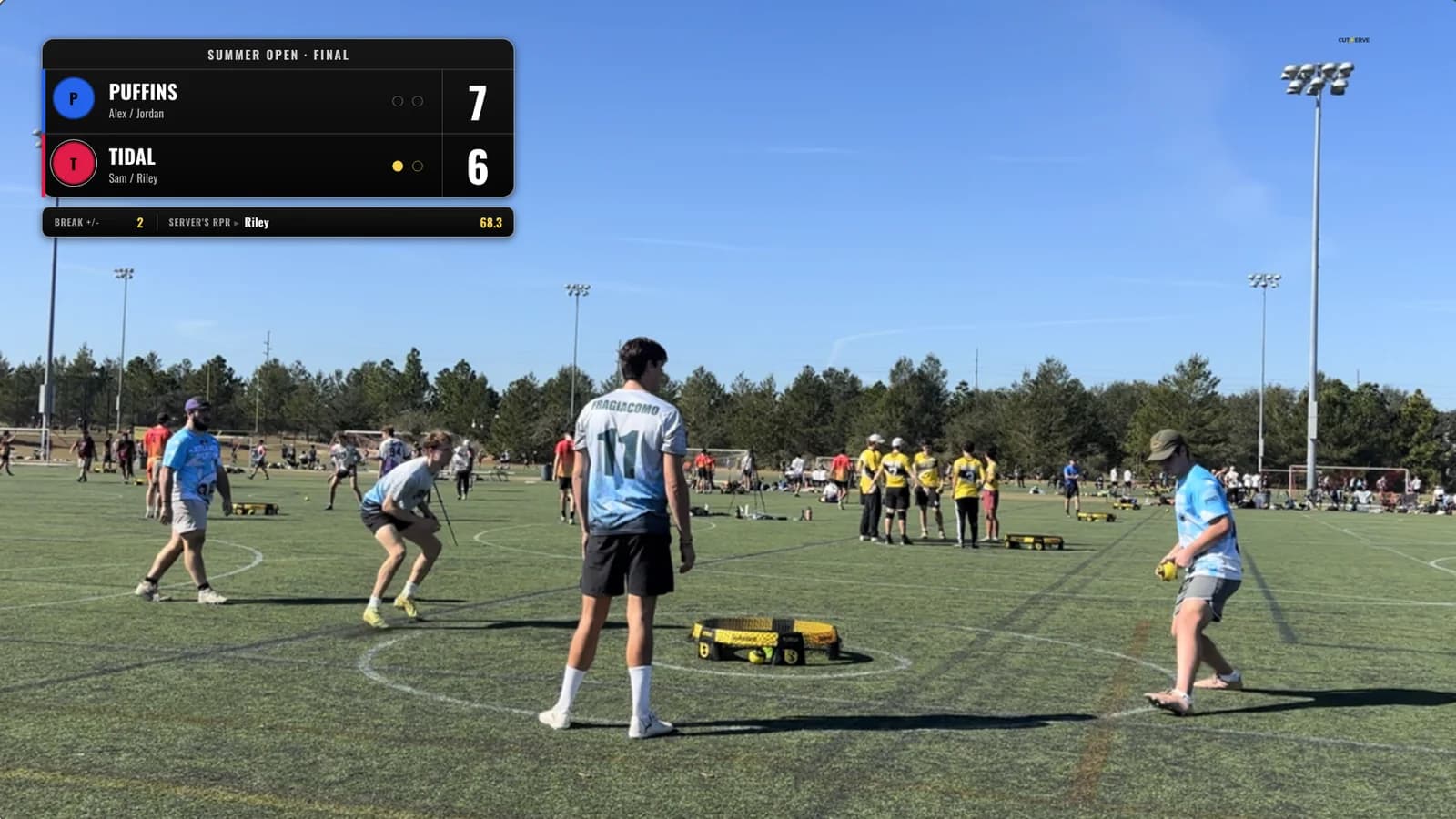
Choose Broadcast Pro, the classic broadcast bar, the Worlds Championship template or your own PNG overlay. The preview uses the same layout as the exported video, so what you see is what renders.
- Live score, serve indicators, break lead and the server's RPR
- Automatic ace, error and custom-text callouts
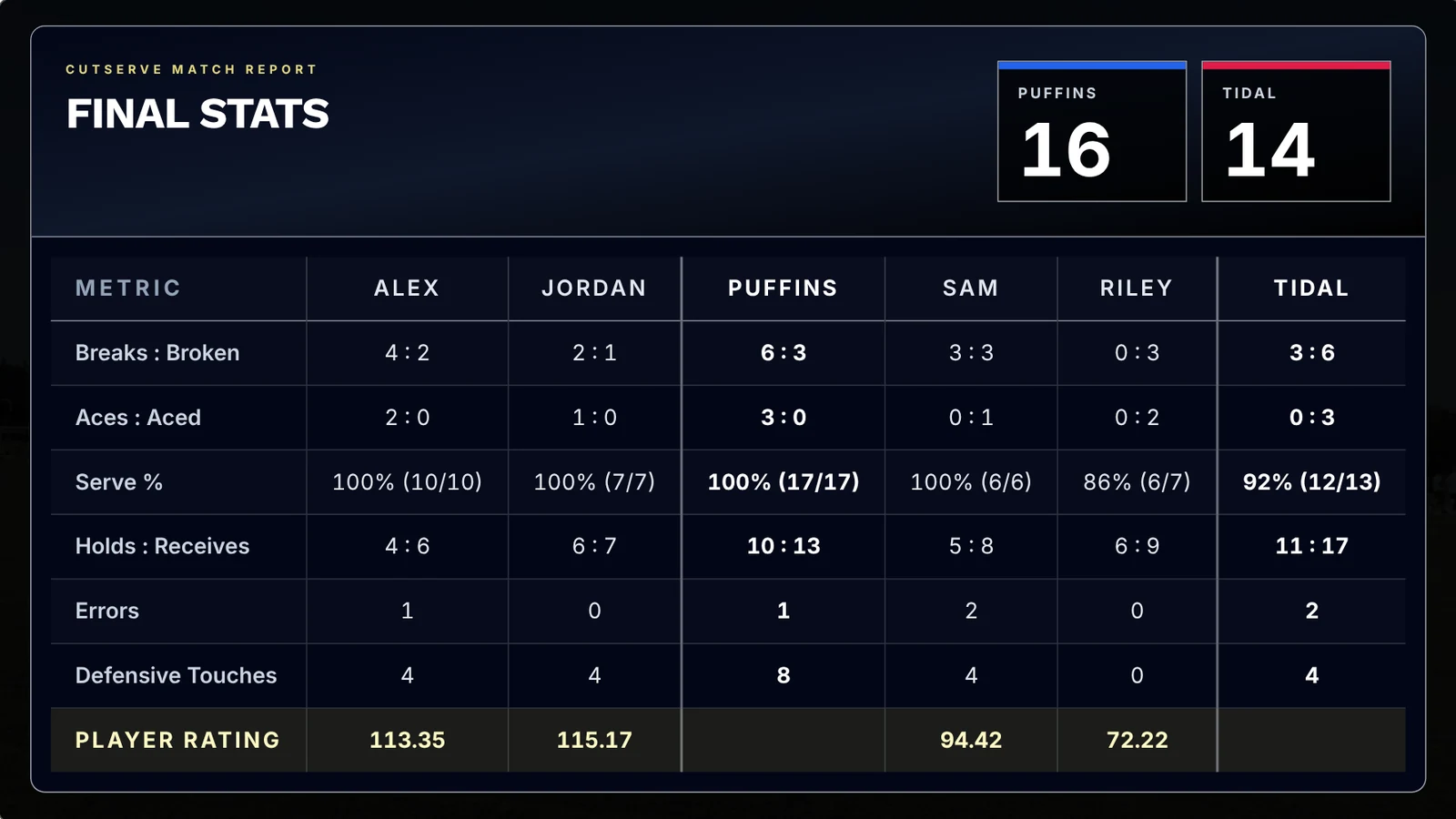
- End-of-match stat screen with every player's rating
- Export at 720p up to 4K, at the source frame rate or up to 120 fps
Highlight Reel
Vertical reels from your best points
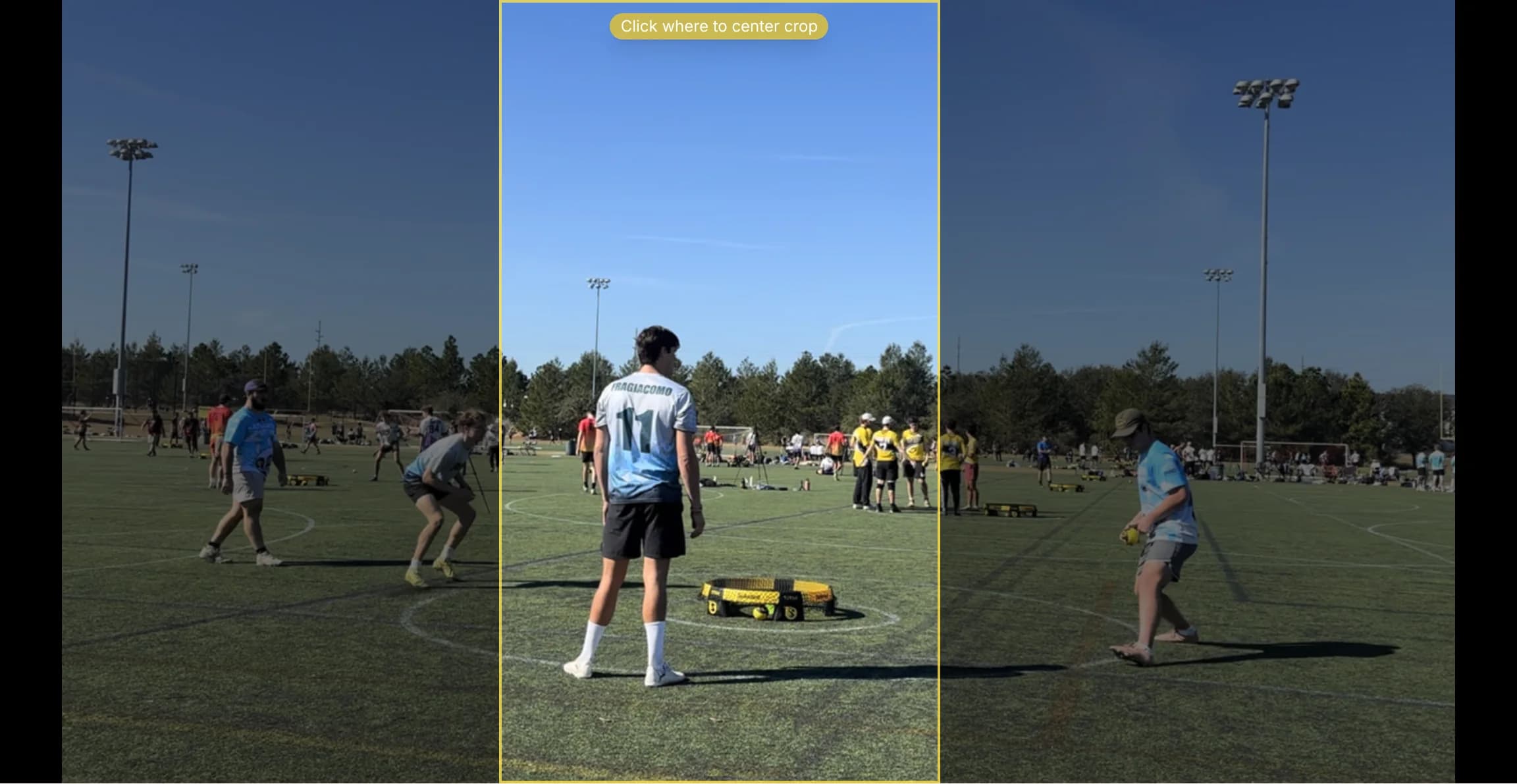
Star points while you edit, then pick, order and trim them. Click the ball at each touch and the crop follows the play.
- 9:16 for Reels, TikTok and Shorts, 4:5 for feed posts, or the original frame
- Preview the exact crop before you export
- Saved per project, so you can pick up where you left off
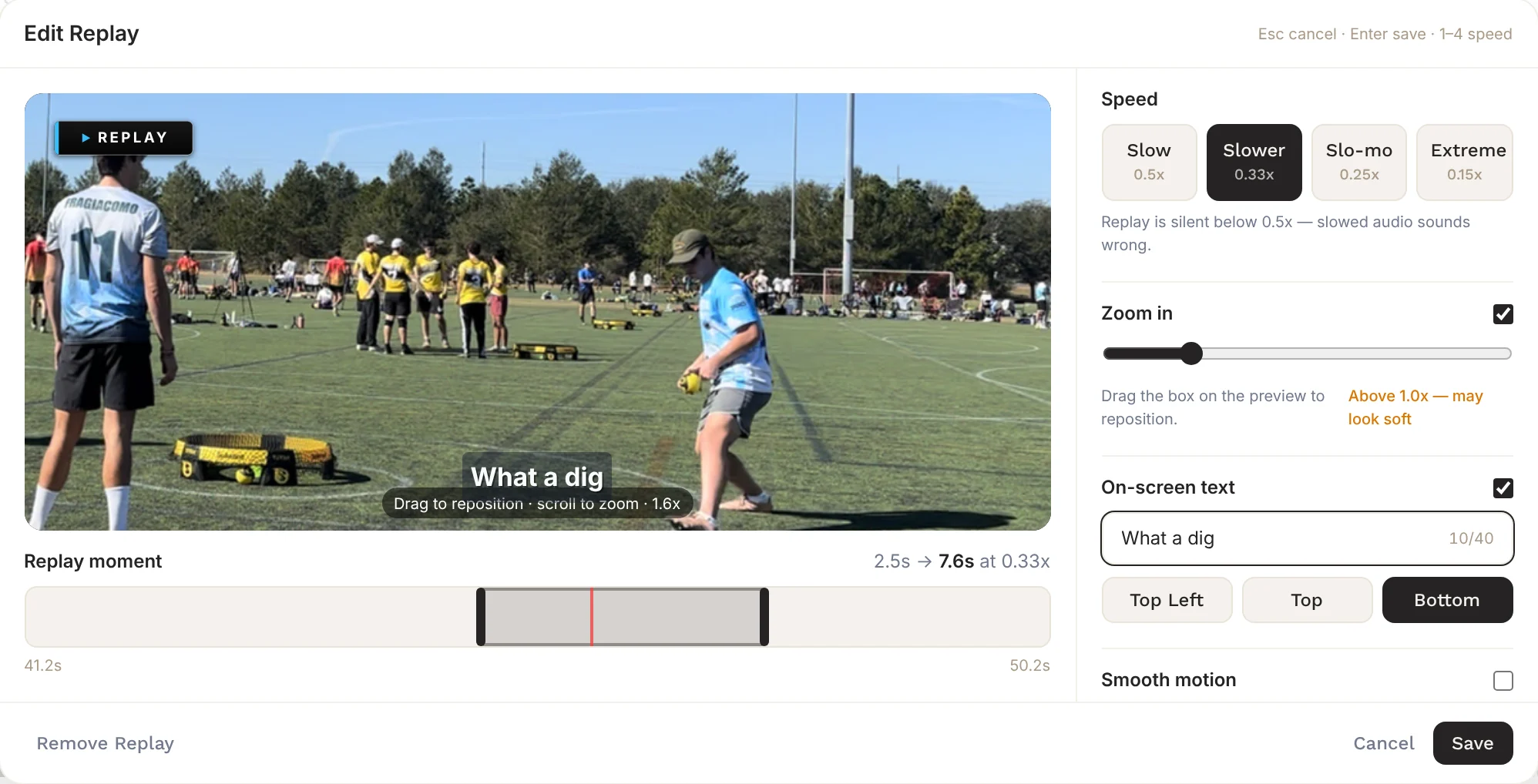
Replay Studio
Slow-motion replays inside the cut
Add a replay to any point: pick the moment, choose a speed, zoom into the action and add a caption. It plays right after the point with a REPLAY badge.
- Four speeds, from 0.5× down to 0.15×
- Zoom in and drag to reframe the shot
- Optional smooth motion that generates in-between frames
And the details that save time
Small things that add up over a tournament weekend.
Manual clipping
Skip zones and processing. Mark each point's start and end with W and S while you watch at up to 2× speed.
Import from a link
Paste a link to footage you've uploaded and choose up to 1080p, 720p or source quality.
Match presets
Save teams and players once and reuse them for the next game.
Traditional or equal serving
Both serving styles and any target score, with the serve rotation tracked for you.
Export queue
Queue several exports and keep working while they render one after another.
Automatic updates
New versions download in the background and install when you restart.
Start free. Upgrade when you're ready.
No credit card required to get started. One-time lifetime upgrade when you're ready.
Free
$0
Try CutServe with no commitment.
- ✓3 free exports total
- ✓All editor features
- ✓Stat tagging and automatic scoring
- ✓Broadcast Studio and highlight reels
Lifetime
$30.00 one-time
Founding price. Pay once, own it forever.
- ✓Unlimited exports
- ✓All editor features
- ✓Stat tagging and automatic scoring
- ✓Broadcast Studio and highlight reels
- ✓Priority support
- ✓All future features
Founding lifetime price ends soon.
What's next
CutServe is just getting started. The founding lifetime price helps fund a bigger roadmap for roundnet creators.
CutServe on iPhone
A mobile version of CutServe is in the works. More to share soon.
Auto highlight picks
CutServe suggests your best points for the highlight reel, no starring required.
Cloud sync
Move projects between devices, with optional backup and progress sync.
More broadcast templates
More scoreboard styles, stat packages and branded templates for events.
Ready to cut your first video?
macOS 12+ on Apple Silicon and Windows 10+ · Runs locally
Download CutServe for Mac + WindowsFounding lifetime price ends soon.